For Everyone Who’s Been Concerned That They No Longer Receive FB Notifications About Our Livestreams, We Have Found The Culprit.
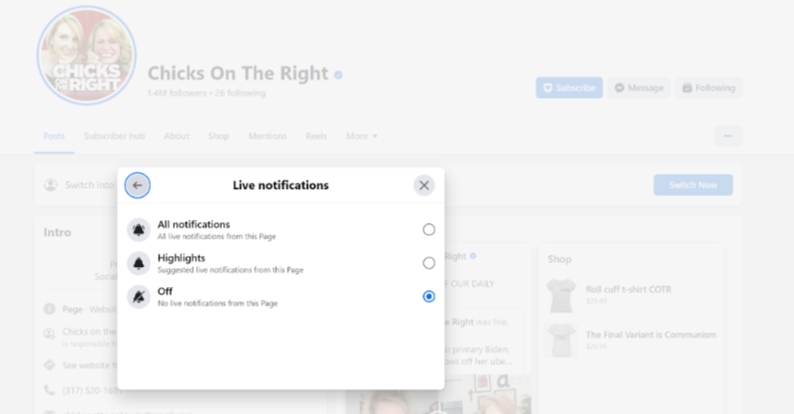
And the culprit, wouldn’t you know it, is Facebook. Of course.
It’s shocking, right? SO SHOCKING.
But here’s the deal. As our teammate at Radio America just discovered, the default setting for livestream notifications, EVEN FOR PAGES YOU CHOOSE TO FOLLOW, is set to OFF.
The good news? There’s an easy fix. Let’s walk through it.
Go directly to our main FB page right here. For this part, you can be on your desktop OR phone. Select “Following/Follow” then set us as a “Favorite.”
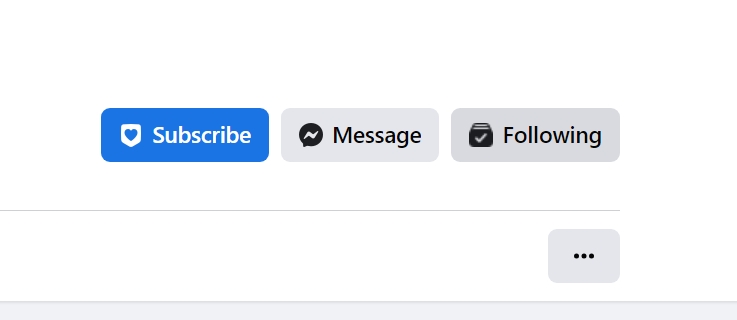
This next part needs to be done from a desktop/laptop. In the “Following” window, set “Video” to “All notifications” and “Live Video” to “All Notifications.” And then you’ll be back to being notified whenever we go live!
Hope that helps – FB obviously has absolutely no interest in our content being shared – even with our own followers who WANT it, but at least there seems to be a workaround.
Keep Reading
Fox News Personality Kat Timpf Announces Pregnancy

Tucker And Candace Are Getting MORE Out Of Hand
COVID 2.0? The World Prepares
Join the Conversation
Share your perspective and reply to other readers.
Create your account
Create your free Chicks on the Right account without leaving this article.
Welcome back
Log in and continue the conversation on this page.
1 Comment
This fix will work up until Facebook makes their next update. It seems like anytime there was an update to the site, all of my previously set preferences and settings would revert to default.